Buying Guides
Tare, Hold and Auto-Off: Scale Functions Explained
What tare, hold and auto-off each do, when they save a step at the bench, when auto-off gets in the way, and how to specify all three in a purchase order.
Three controls, three different jobs
Tare, hold and auto-off are often listed together as features, but they solve unrelated problems. Tare removes a container weight from the reading. Hold freezes a value long enough to write it down or show it. Auto-off protects the battery when the scale is idle. A scale can have one, two or all three, and the useful question is not how many boxes are ticked but where the controls sit and how they behave.
Tare subtracts the container, not the product
The tare function on a scale sets the current load as zero, so the display shows only what is added after the key is pressed. Put an empty tray on the pan, press tare, and the next reading is the product. The key usually clears it when the tray is removed, but behavior differs. Ask whether tare works across the full capacity, whether it can be entered manually, and what the display shows when the load is removed.
Where tare saves a step at the bench
In a shop, tare lets the operator leave the tray on the scale all day and still weigh each item net. In a kitchen, it turns one scale into a multi-ingredient station: tare the bowl, add flour, tare again, add water, and the display returns to zero between additions. It also handles packaging, bags and sample containers without arithmetic. The saving is small per transaction but compounds across a shift, and staff notice when tare is awkward.
Tare does not create capacity. A 500 g scale with a heavy tray still has to carry the tray and the product, and the usable net load depends on how the model handles the tare value. Test a full tray near the top of the range. Also confirm whether an overload warning appears before the display saturates, and whether the reading recovers once the excess load is removed.
Hold freezes a number that will not stand still
The hold function freezes a stable reading and keeps it on the display after the load changes or is removed. That helps when the product is bulky and blocks the view of the window, when the scale sits below eye level, or when two people need to agree on a value before it is recorded. It is not a substitute for a settled reading. Ask what triggers hold, whether it releases on the next load, and whether the frozen value is marked as held.
Auto-off is a battery feature that becomes a workflow feature
Auto-off on a scale shuts it down after a period without activity. On a retail counter that is often invisible: the scale wakes on the next load or key press. On a bench with slow work it can be irritating. A long mix, a settling sample or a series of small additions can outlast the timeout, and the operator learns to tap the scale to keep it alive. The DH-456A and DH-456B list auto-off among their functions; on other models, confirm whether it is fitted.
The specification that matters is not just the delay but the trigger. Does the auto-off count from the last key press or the last weight change? Does it start when the pan is empty or only when the display is at zero? Can it be disabled? A scale that powers down with a load on the pan is a different tool from one that waits for zero. Put the answer in writing, because the behavior is hard to see in a short sample session. The symptom is a display that blanks mid-task and a reading that has to be re-established.
When auto-off gets in the way
Ask where the controls sit on the sample
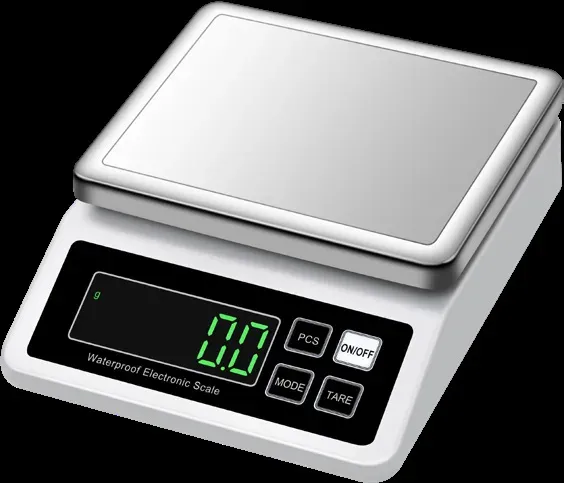
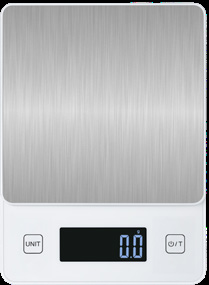
Control layout is a handling question, and the catalog will not answer it. Ask the supplier for a photo or a sample and check three things. Are tare and hold separate keys, or does one key cycle through modes? Can the operator reach them with the loaded pan in place? Does hold freeze a reading after the load is removed, and is that frozen value marked? A layout that looks tidy in a drawing can be awkward once a full tray is on the pan.
Where the functions are not documented
Most model entries publish capacity, precision, units, size, power and packing, and stop there. A missing function line proves neither presence nor absence. For any model without a listed function set, write 'where fitted' and ask the supplier to confirm each control by name. Put the question in the RFQ as a yes-or-no item per control, with the answer written beside the model code. A detailed reply tells you the function exists; a vague one is a reason to test before ordering.
How to specify the three functions
Write one line per function. For tare: range, manual entry, clear behavior. For hold: trigger, release, indication. For auto-off: delay, trigger, disable option. Add where the controls sit and whether labels match your market's language. Then test the sample as the bench will use it: tare a tray, hold a moving load, leave it idle and watch. A feature list matters only if behavior matches the work. Ask ZmoTek to confirm all three on the model you are considering.